
How I Used AI (ChatGPT) To Create A Repeatable Seamless Fabric Pattern
Well, I thought I was done talking about the striped fabric pattern, but I had a few people ask for more information on how I made the repeatable, seamless fabric pattern using AI, and specifically, using ChatGPT. So I wanted to give more details on the process from start to finish.
To be clear, I only used ChatGPT to make the original pattern that I used as a jumping off point, but then I used a photo editing software to edit colors, rearrange the stripes, delete stripes, etc. So ChatGPT got the process started for me, but I did all of the fine tuning myself. But more on that in a bit.
The reason I started the process on ChatGPT is because I wanted a watercolor striped pattern. While I can do floral patterns from start to finish using my photo editing software, the program I use is limited when it comes to making textures. So ChatGPT had to do that part for me.
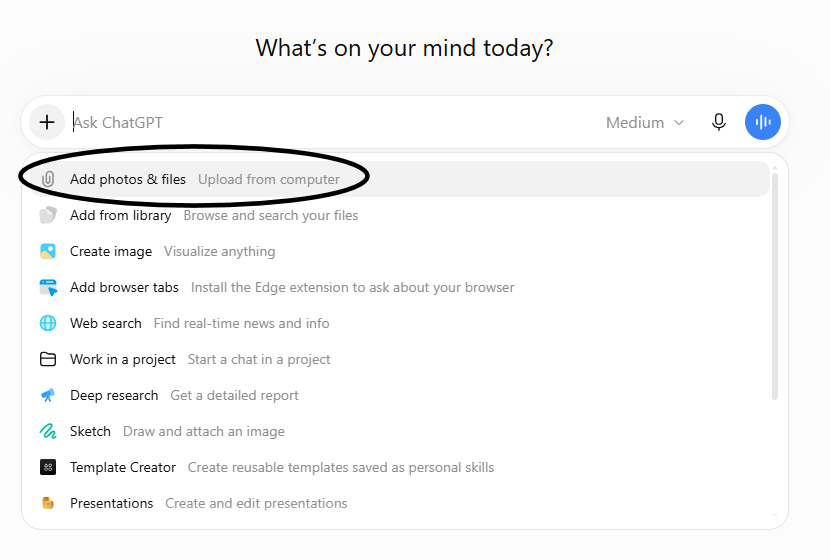
To start the process, I uploaded two pictures to ChatGPT. To upload pictures to ChatGPT, you simply click on this plus symbol on the left of the input field.

And in the dropdown options, click the first option. You can repeat this until you have all of your pictures uploaded.
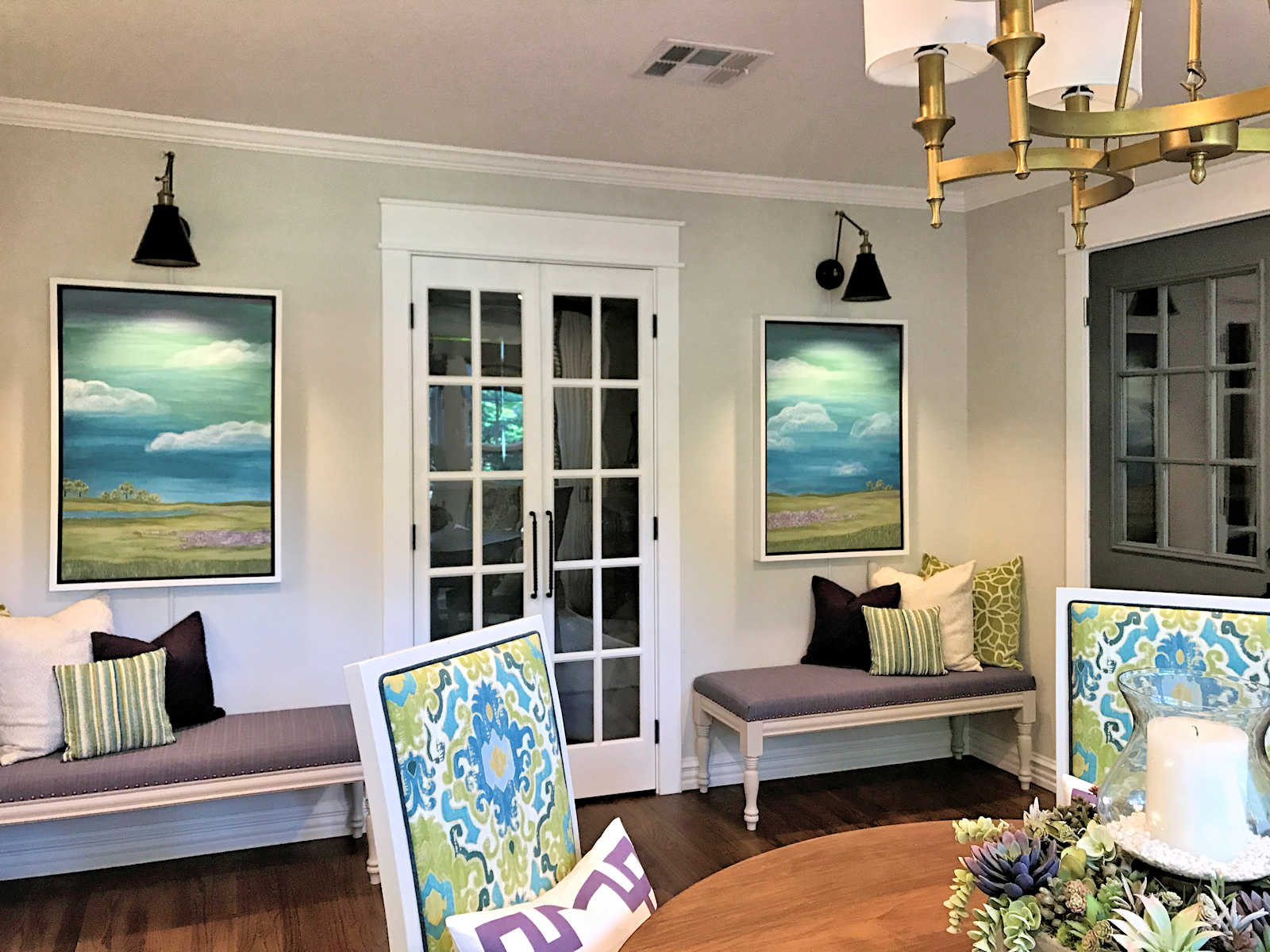
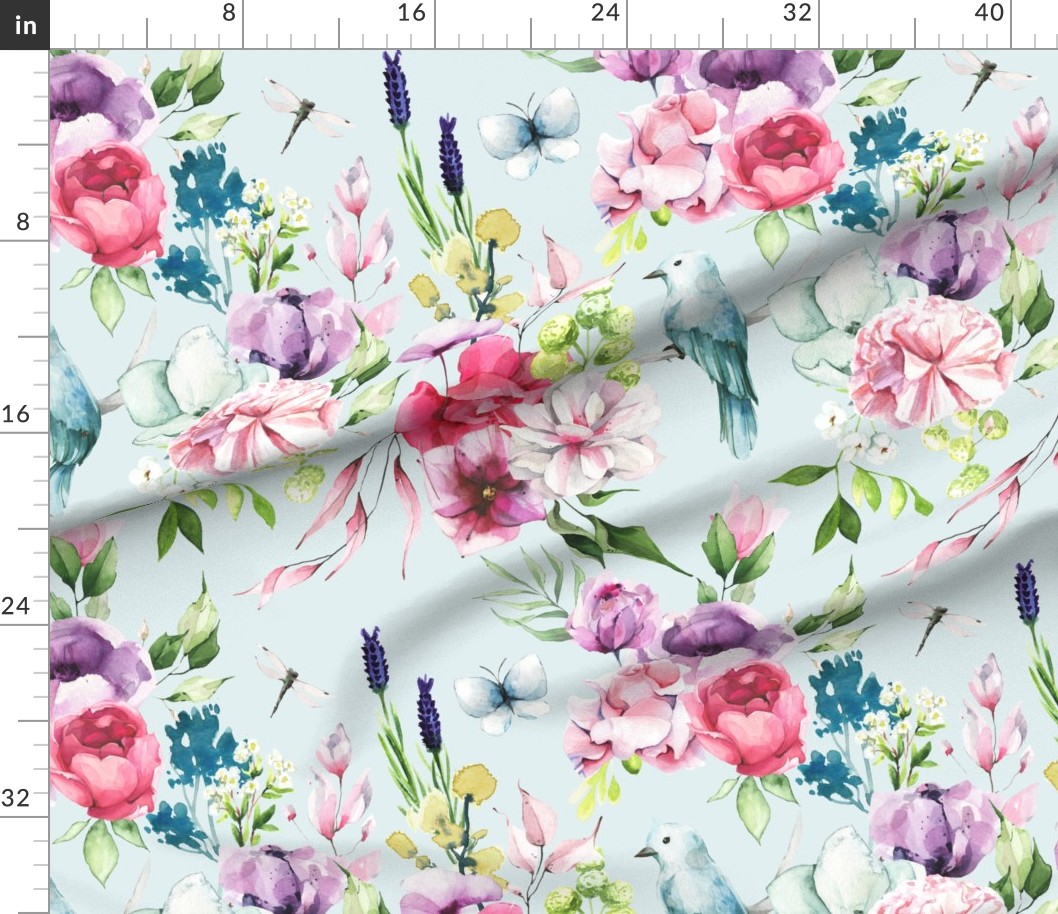
I uploaded two pictures — the full image of my floral fabric showing one full repeat of the pattern, and the sample of a watercolor pattern that my mom sent to me. My mom had sent me three different options, but I chose this image specifically because the full image also showed my dark purple buffet and teal kitchen cabinets, although those things are cut off in the image display shown here.
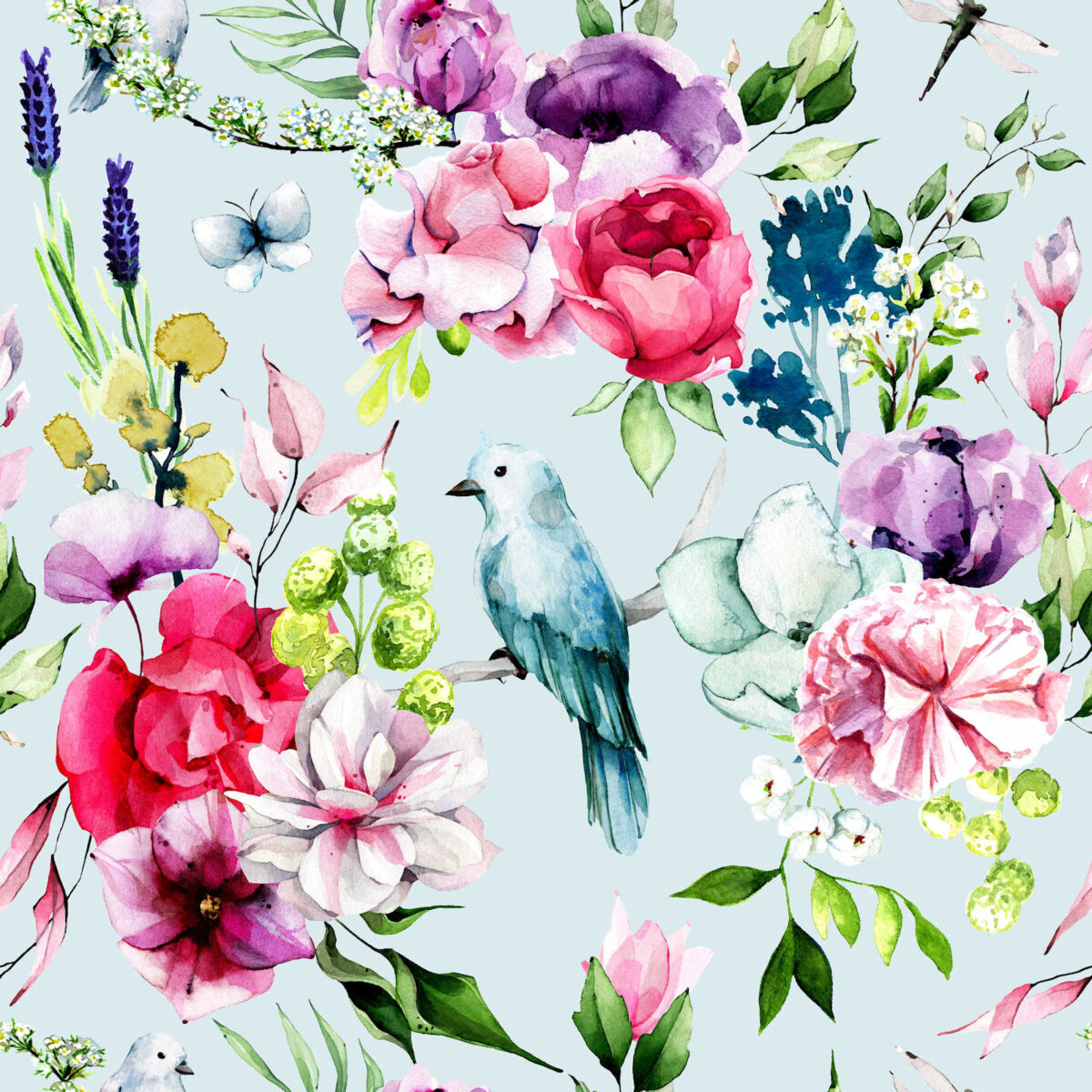
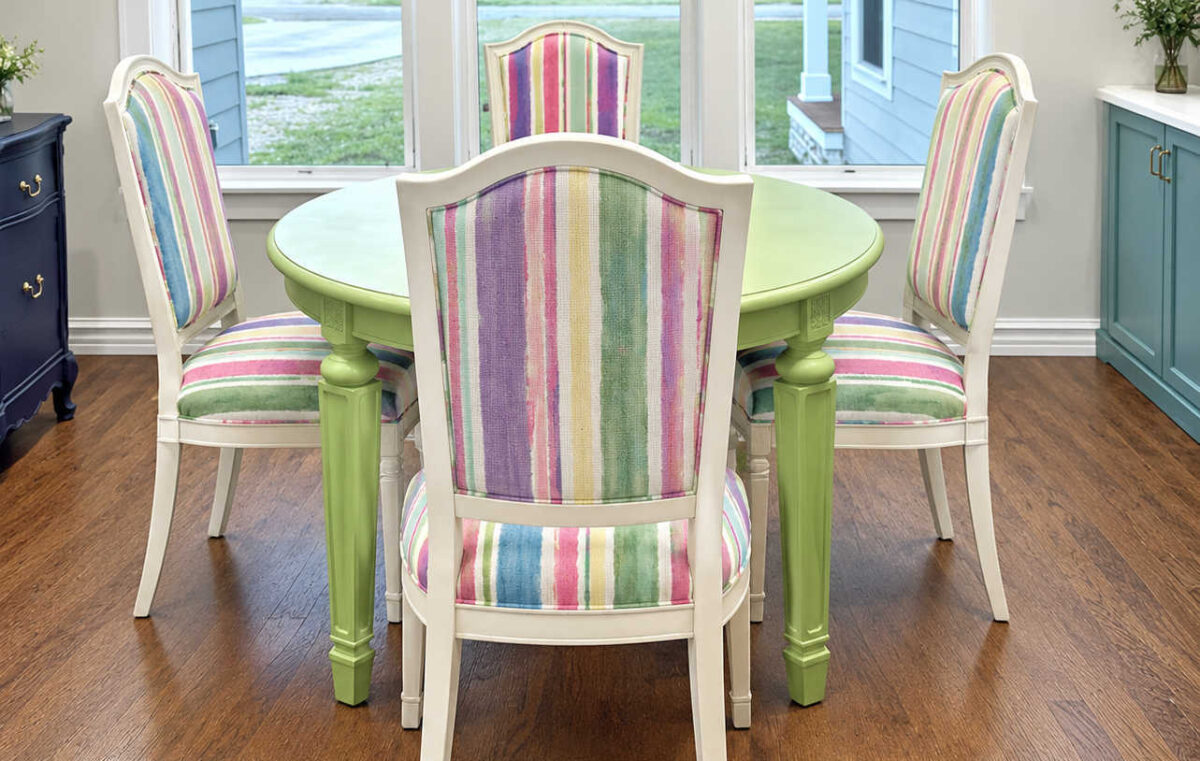
With my photos uploaded, I entered my very clear (and probably overly descriptive) prompt. You’ll notice in the prompt that I actually give hex codes (the # sign followed by a six-digit code) for paint colors. I didn’t come up with those myself. I simply Googled the paint names (i.e., Behr Polar Bear) and Google’s AI gave me the hex codes for the paint colors. So this was my complete prompt:
Create a pattern that I can use on fabric with the following parameters:
- 1. It needs to coordinate with the floral/bird fabric pattern that I attached.
- 2. I really like the randomness of the striped fabric on the chair in the second picture closest the “camera”. I like the design on the seat back as well as the seat on that chair.
- 3. The background needs to match Behr Polar Bear #F5F4EC
- 4. In addition to the drapery fabric that I attached, it also needs to coordinate with the kitchen cabinets that are seen on the right side of the second picture, which are painted Behr Hallowed Hush #6D9090. The color you use doesn’t need to match that color perfectly, but it does need to coordinate so there’s a nod to the kitchen cabinets in the fabric.
- 5. The horizontal repeat of the fabric needs to be about 14 inches wide.
- 6. The striped pattern needs to be created so that it can be tiled vertically to create a seamless pattern.
- 7. I want long, soft, watercolor strokes without a lot of color variation within each stripe. I do like some color variation as long as it looks soft and like watercolor.
- 8. The overall look I’m going for is that random width, freeform look of the fabric on the back of the chair in the second picture.
- 9. Overall, I like the softer look of the fabric on the chair, so the colors don’t need to match the floral drapery fabric perfectly, but it needs to coordinate.
And about 60 second later, this is the pattern it gave me. This would be one full repeat of the pattern, so you can see that it would tile seamlessly when repeated vertically, but it also cut the pink stripe in half vertically so that it’s seamless when tiled horizontally.
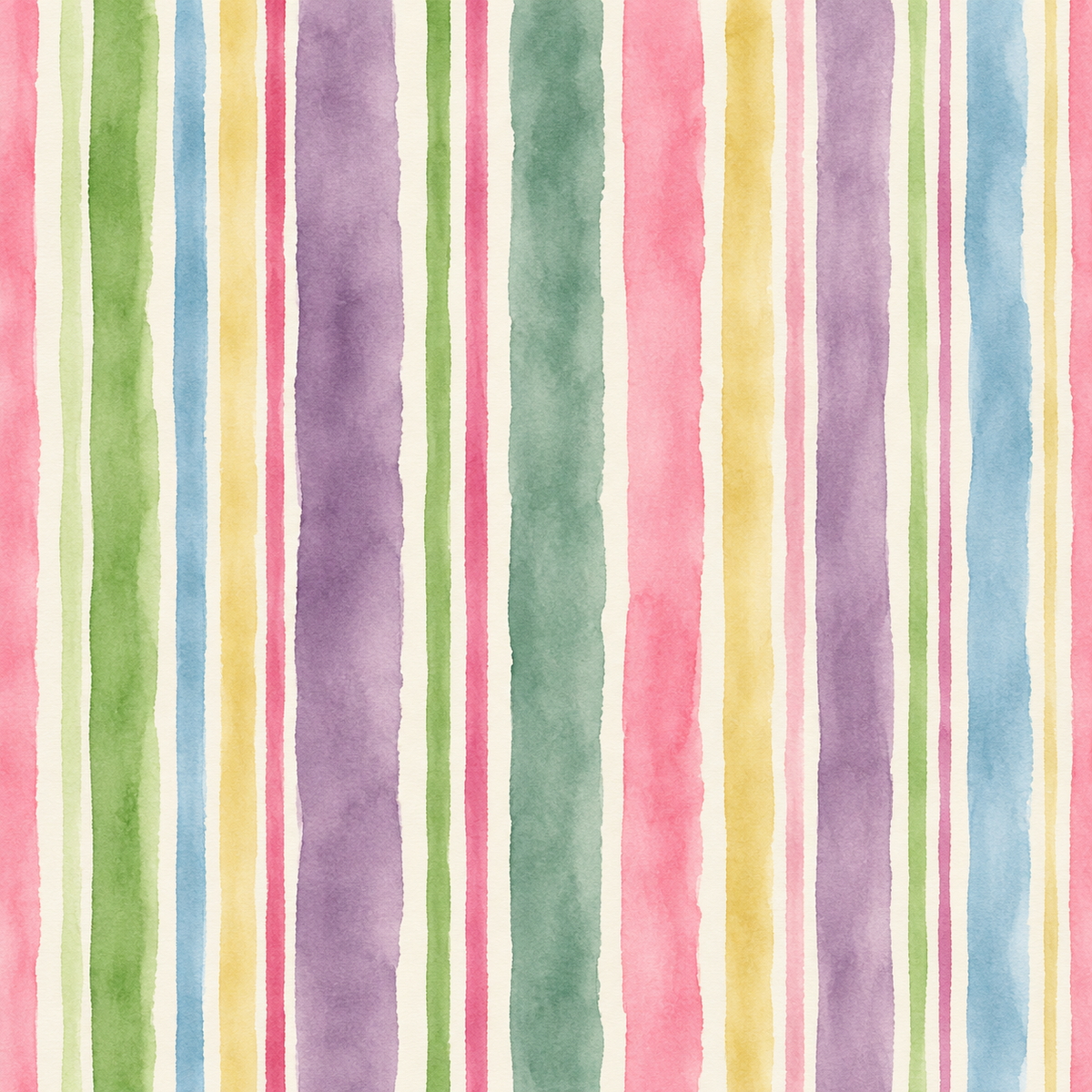
This was a great start, but it wasn’t exactly what I wanted. But ChatGPT gave me the most important elements — watercolor stripes, plenty of colors to work with, and stripes that will tile seamlessly when repeated vertically.
And that last one is the key to creating a fabric or wallpaper pattern. When creating fabric or wallpaper, your pattern has to be able to tile both horizontally and vertically so that it’s seamless. If your pattern won’t tile seamlessly, it will look cheap and amateurish. For example, here’s what this watercolor fabric would look like if the pattern isn’t seamless. While it’s not as pronounced on a freeform watercolor pattern, you can still see very definite horizontal lines across the fabric where the pattern stops and starts. And that’s exactly what you want to avoid when creating a fabric or wallpaper pattern.
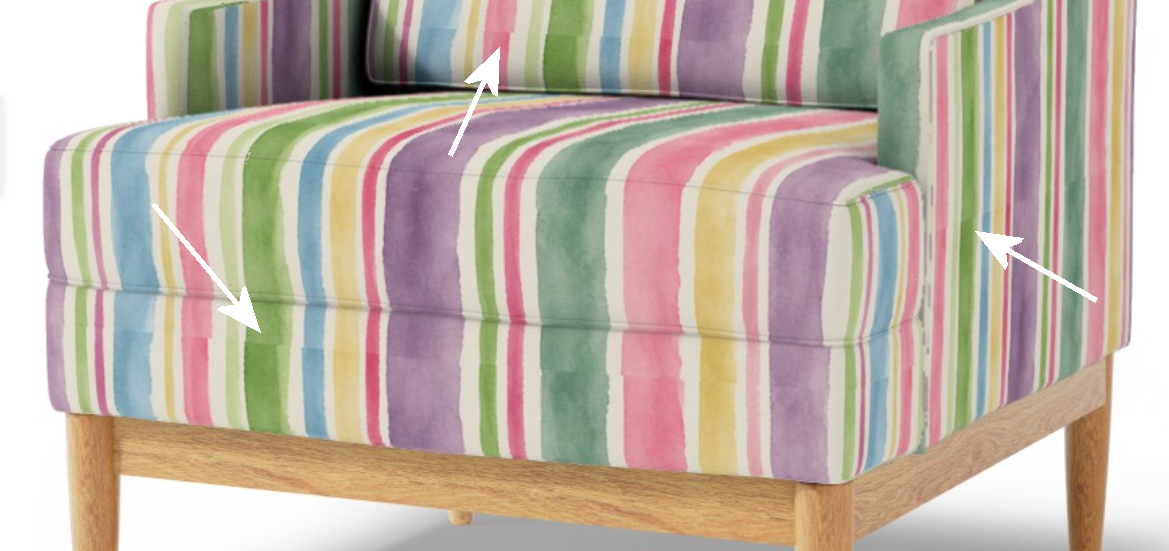
So ChatGPT took care of the most important elements for me. I could have continued making edits to the pattern with more prompts to tweak the design, and I’m sure I could have eventually gotten to the final result I wanted. But rather than using ChatGPT for the rest, I decided to download that image, open it up in my photo editing program (I use PaintShop Pro, but you can also use something like Adobe Photoshop for this) to continue my edits.
For example, if I wanted to remove a stripe completely, I used the selection tool on the left that looks like a square with dotted lines around it…
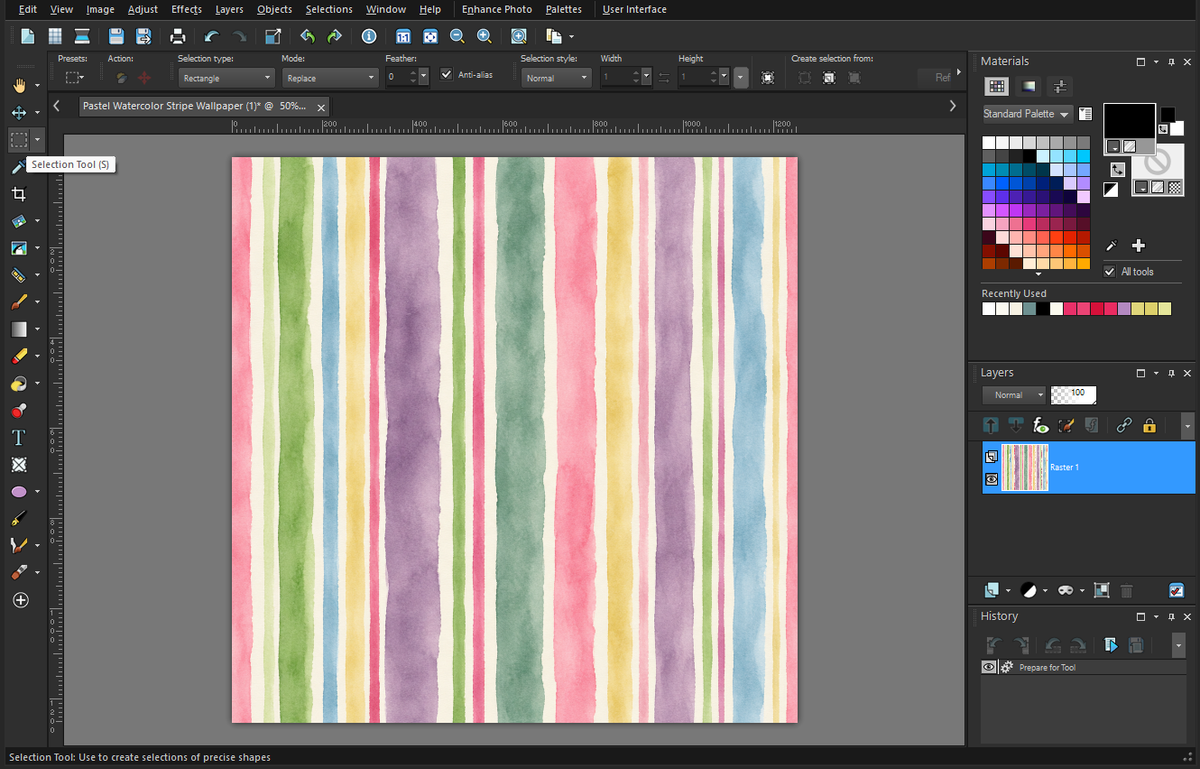
And I selected the striped that I wanted to remove, like the narrow green and pink stripes next to each other. The key is that you have to select the entire stripes, from top to bottom, without leaving any remnants of those stripes outside of the dotted lines showing the area you selected.
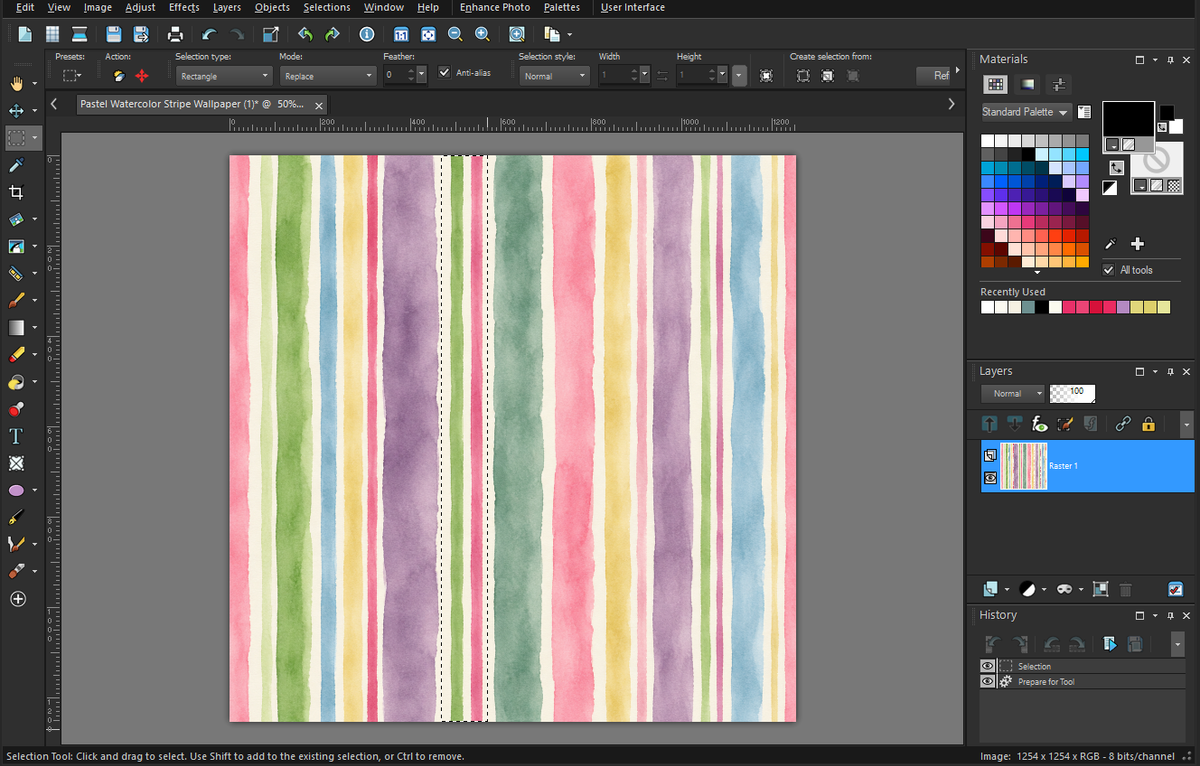
And then I simply clicked the delete button on my keyboard, and those stripes disappeared, leaving behind a transparent background.
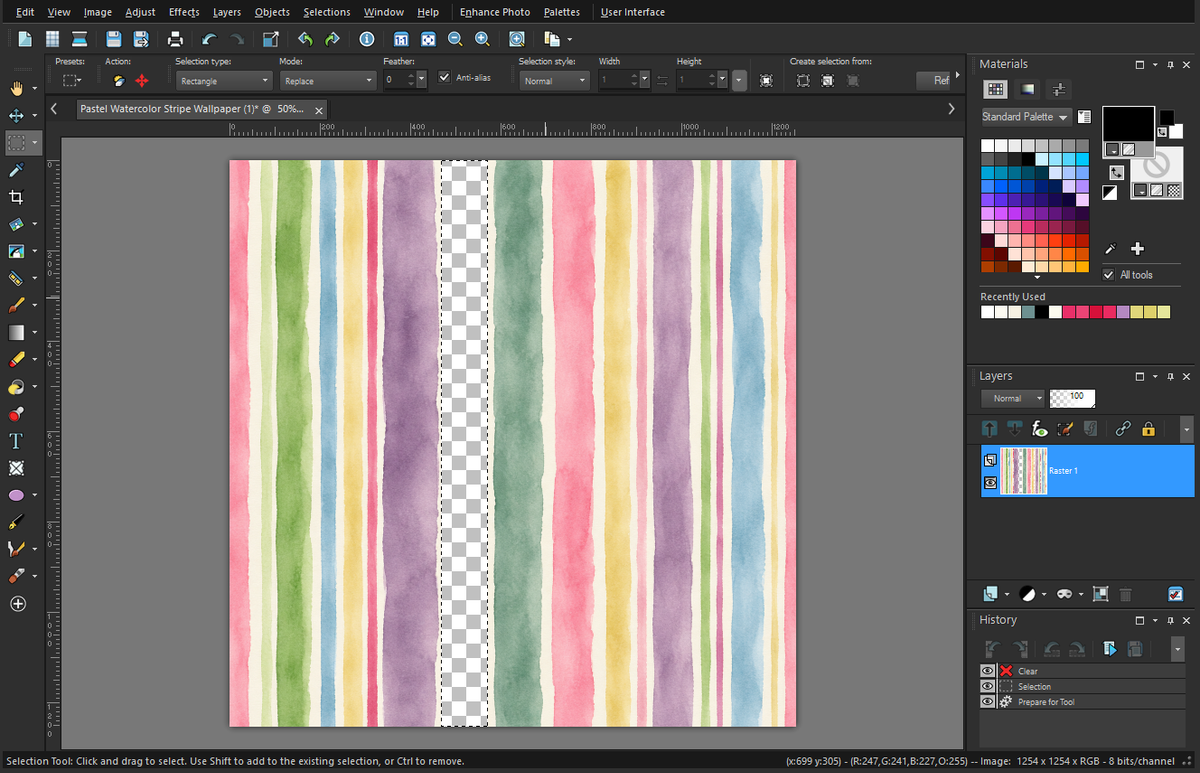
And then I selected the “flood fill” tool on the left side that looks like a paint bucket that’s tipped over with paint spilling out, and with that area still selected (i.e., it still has the dotted lines around it)…
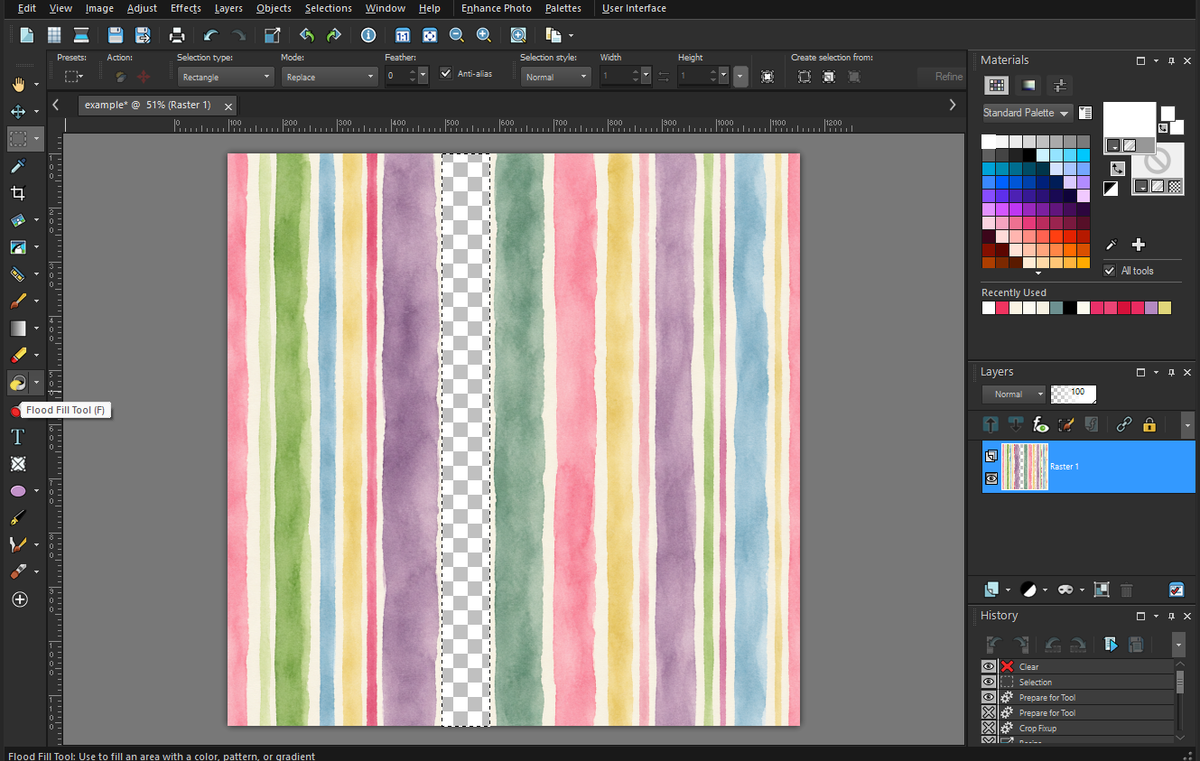
I used the “flood fill” to fill in that area with the solid background color.
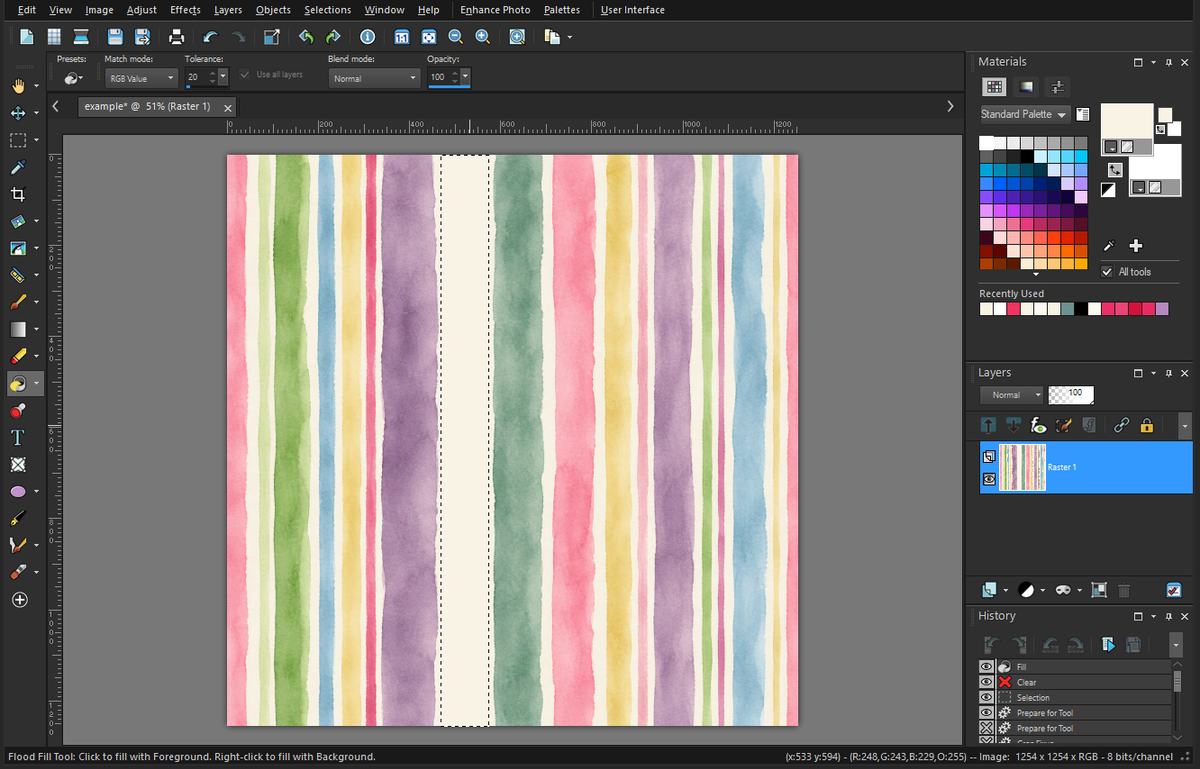
And then I chose “selections” from the top menu to unselect (“select none”) that area so that I could move on to another stripe.
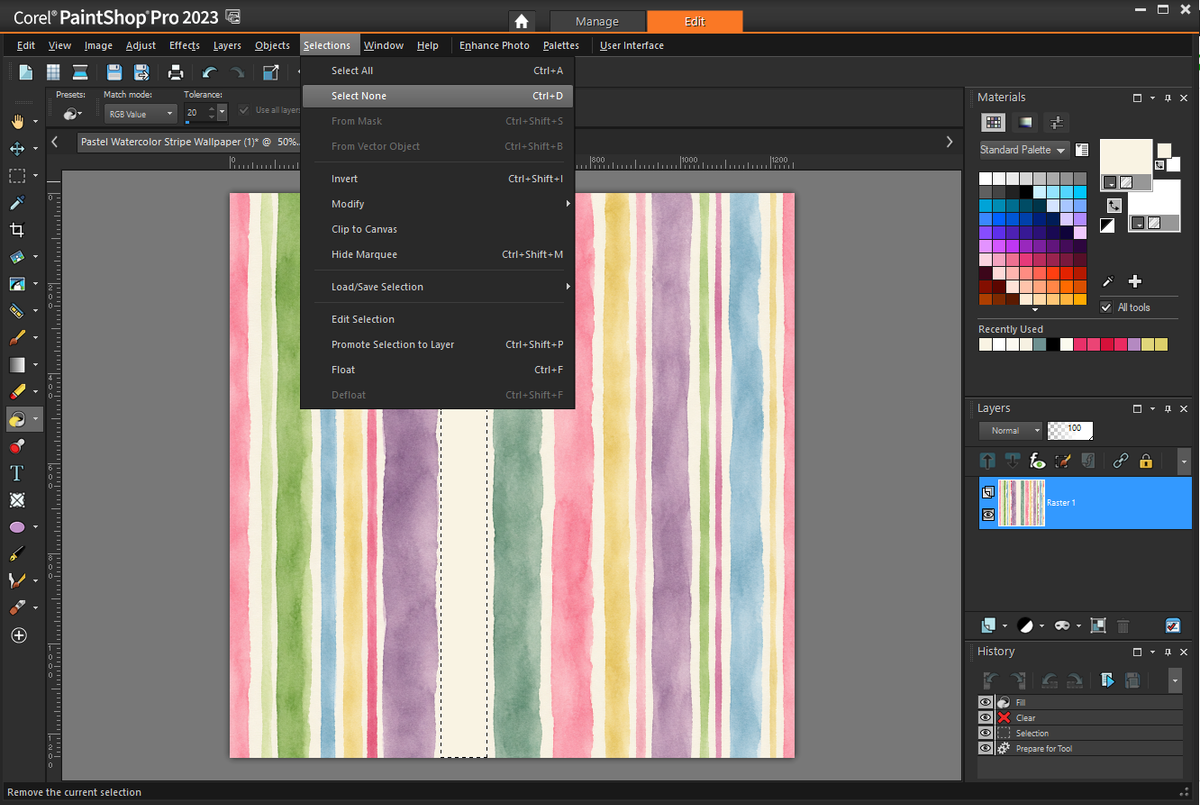
Anyway, I don’t want to turn this into a whole PaintShop Pro tutorial since that would be incredibly tedious and boring, but the point is that I only needed ChatGPT to create that first image for me since I didn’t have the ability to do seamless watercolor stripes. So once it took care of that process for me, I could easily use my photo editing software to rearrange the stripes, widen stripes, remove stripes, and even darken/lighten the stripes and the background as needed.
If you’ve never used a photo editing software like PaintShop Pro or Photoshop, and it seems overly difficult and intimidating to you, I can guarantee that you can find your answer to “How do I….?” for any question you might have on YouTube. There are extensive tutorials there for both of PaintShop Pro and Photoshop, and you’ll get the basics down in no time. And of course, if you don’t want to use a photo editor, you can always do the whole process from start to finish on ChatGPT with more precise prompts (e.g., “remove all of the narrow stripes”, “make the purple stripe wider and about 25% lighter”, “swap the placement of the wide dark green and wide purple stripes”, etc.) and it can do the whole thing for you. I’m just a little too independent and impatient for that, so I chose to be more hands-on with the rest of the process.
So that’s how I used a combination of ChatGPT and PaintShop Pro to create a seamless watercolor stripe pattern that I could then upload to Spoonflower to have a custom fabric printed for my dining room chairs. And after all of my tweaking and editing, that’s how I went from that original ChatGPT watercolor stripe to the one I finally uploaded to Spoonflower to have printed.
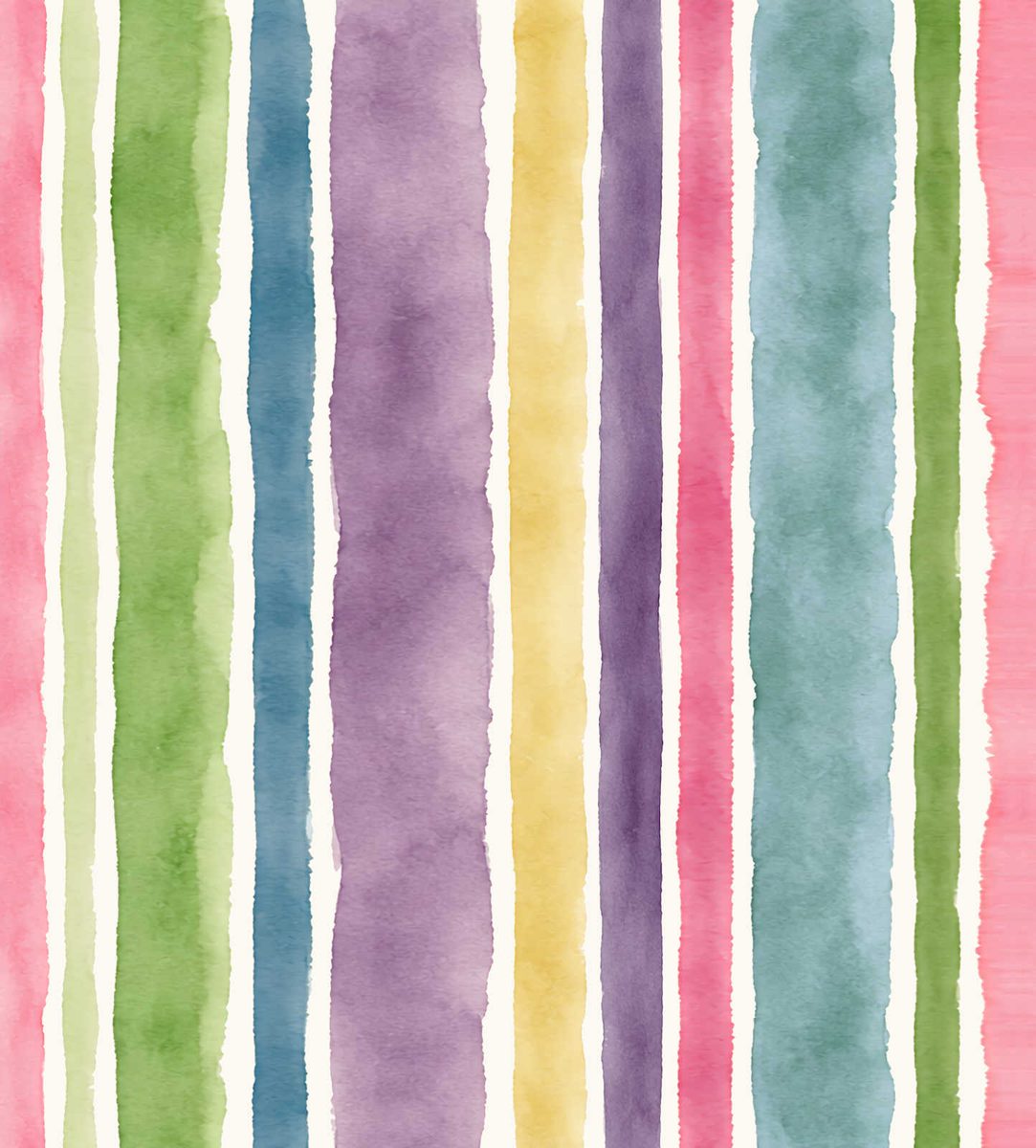
I’ve created plenty of repeatable patterns in the past without using AI and only using PaintShop Pro. Again, I only needed ChatGPT for this one because PaintShop Pro is limited in creating textures like pretty watercolors. But when making floral patterns, I don’t need AI.
If you want to see how I make repeatable floral patterns (without having to do the artwork myself), you can see my past tutorials on that process here: How To Create Your Own Wallpaper Design
And if you want to see how to turn a very simple acrylic painting into a fabric or wallpaper pattern, you can see that here: How To Create A Wallpaper Or Fabric Design From A (Very Simple!!) Acrylic Painting
I’m telling you, there are so many options for getting a custom look for your home when it comes to wallpaper and fabric, and none of these options require a lot of artistic ability. It’s just a matter of knowing the look you’re going for (abstract, watercolor, stripes, floral) and then learning a few basic concepts about how to turn those into repeatable patterns, along with learning a few skills using the photo editing software of your choice. There’s a bit of a learning curve, but once you have the basics down, you’ll be on your way to a customized home that looks like no one else’s (unless, of course, you start selling your designs 😀 ).

Addicted 2 Decorating is where I share my DIY and decorating journey as I remodel and decorate the 1948 fixer upper that my husband, Matt, and I bought in 2013. Matt has M.S. and is unable to do physical work, so I do the majority of the work on the house by myself. You can learn more about me here.
YIKES…I think I could never really do that. I’m too old to learn new tricks! But I do enjoy seeing your process, and am impressed that you can figure all that out! And the finished product is perfect! I’m stuck buying what’s out there and done, and now without Joann’s I’m REALLY stuck. It has ruined my sewing projects. So sad.
I feel your pain. I still can’t believe that Joann Fabrics is gone. What a huge loss!
It looks amazing. Thanks for giving such a great tutorial on how this process works. I am pretty sure that I would have some Jackson Pollock looking material before I got the hang of it. I love how all the colors are coming together.
Cheers to you, Matt, and the Fur Babies!